
The Google Business Profile Checklist Every Local Business Should Follow
Your Google Business Profile is doing more work than you think. Here's every section worth checking, and what actually changes when you fix it.

Published by
Pie
on

A customer searches for your business, and what they see first is your Google Business Profile, not your website, not your social media.
If it's outdated, thin, or missing half its sections, they've already formed an opinion before you get a chance to change their mind.
That's usually the moment a real google business profile checklist would have helped, and the mistake most owners make is thinking they handled this once, back when they first set up the business, and never came back to it.
Most owners assume their profile is done because it exists and has an address on it.
But a Google Business Profile has a lot of sections most businesses never fill out completely, and each incomplete one is a small, quiet cost. Someone can't tell whether you actually offer the service they're searching for.
They can't see a current photo. They can't find hours they trust. So they move on to whichever listing does answer those questions.
Here's every part of the profile worth checking, and what actually changes when you fix it.
Table of Contents
Why a Google Business Profile Checklist Matters More Than You Think
Getting Your Business Information Right
Categories and Services: The Google Business Profile Ranking Factors Hiding in Plain Sight
Google Business Profile Photos: The Checklist Item Most Businesses Skip
How to Optimize Your Google Business Profile Without Overthinking It
Your Quick Google Business Profile Checklist
Real Results
FAQs
Conclusion
Resources
Why a Google Business Profile Checklist Matters More Than You Think
Your profile is more than just a listing.
For a lot of customers, it's the entire interaction they have with your business before deciding to call, visit, or keep scrolling. Google surfaces it directly in Maps and search results, sometimes before your website even loads.
We've written before about why Google Maps ranking changes depending on where someone's searching from and what they type.
Your profile is the one part of that equation you fully control. No algorithm to wait on, nothing to buy, just information you fill in correctly and keep current.
That control is worth taking seriously.
A complete, active profile earns 12 times more clicks than one left incomplete, based on Pie's own data across the profiles it manages.
Getting Your Business Information Right
Start with the basics, since they're also the ones most likely to be quietly wrong.
Your name, address, and phone number need to match exactly everywhere they appear online, your website, your social pages, any directory that lists you. A mismatch, even a small one like a missing suite number, can confuse Google about whether it's really the same business.
Categories matter more than most owners realize.
Most profiles only have one primary category set, which means the business only shows up for searches that match it. A shop that does both auto repair and tire sales should have both reflected. A salon that also does nails needs both categories claimed, not just the one on the sign out front.
Hours need to stay current, including any hours that differ from your normal schedule. A listing showing “open” when a business is actually closed is one of the fastest ways to lose a customer's trust before they've even walked in.
These are the simplest google business profile tips for small business owners, and also the ones most commonly left unchecked for months at a time.
Pie Growth’s Profile Boost checks all of this for you and gives your profile a score, so you know exactly which piece needs attention instead of guessing your way through the dashboard.
Categories and Services: The Google Business Profile Ranking Factors Hiding in Plain Sight
Once the basics are right, the next layer is specificity.
A services or products list that just says “haircuts” or “repairs” gives Google almost nothing to match against a real search.
A list that includes “men's haircut,” “kids haircut,” “color and highlights” gives it something to actually work with, and it's the same logic for a menu, a treatment list, or a set of home service offerings.
Your business description plays into this too.
It has a character limit, so it needs to say plainly what you do and who you serve, not read like a sales pitch. Google Business Profile ranking factors reward specificity and accuracy here, not clever wording.
This connects directly to relevance, one of the three things that determines whether you show up at all for a given search. If you want the fuller picture of how relevance, distance, and prominence work together, read Why Am I Not Showing Up on Google Maps? A Guide to Getting Your Business Found on Google.
Google Business Profile Photos: The Checklist Item Most Businesses Skip
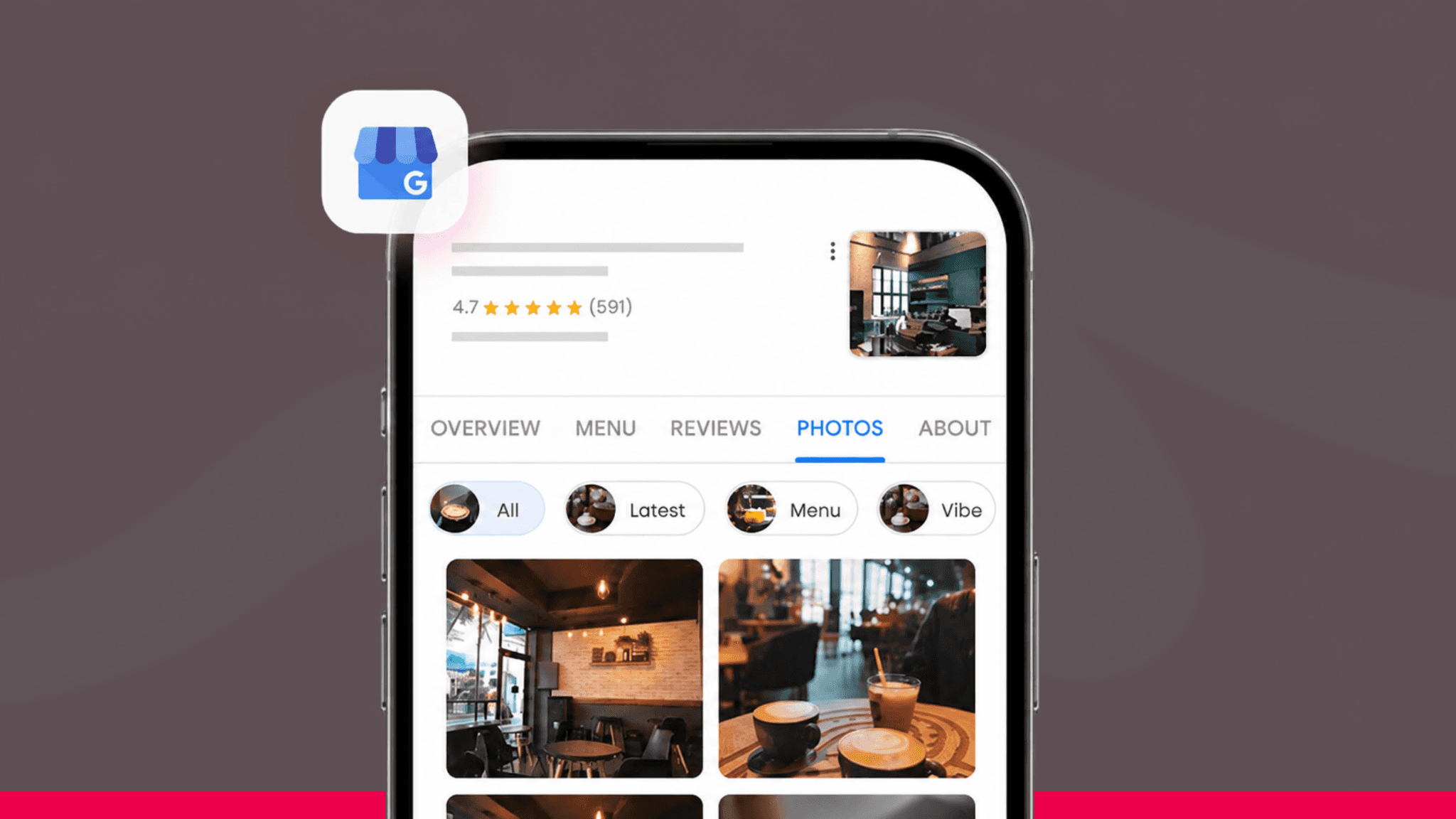
Photos are the checklist item that gets set once, at setup, and then forgotten for years.
That's a mistake, since photos are one of the clearest signals to a potential customer that a business is active and worth trusting.
Real photos beat stock photos every time, your actual space, your actual team, actual examples of the work or the food or the product.
A logo and a cover photo are the minimum, but interior shots, exterior shots so people can recognize the building, and recent work examples all add up. A profile with a handful of five-year-old photos reads as abandoned, even if the business itself is thriving.
Updating photos periodically matters as much as adding them in the first place. Recent activity is itself a small trust signal, both to customers scrolling through and to Google.
How to Optimize Your Google Business Profile Without Overthinking It
A few smaller sections round out the profile, and they're worth doing in order rather than all at once. If you're wondering how to complete your google business profile without it turning into an afternoon project, this is the sequence that matters.
Turn on messaging only if you can actually respond quickly. A slow or ignored message thread does more damage than not offering messaging at all.
Fill out the structured services or products list completely, not just the description field, since Google treats them differently.
Posting regularly rounds it out. Regular updates give Google fresh activity to point to, and they show up directly in your listing.
Pie can generate up to 27 posts a week for you, pulled from what's actually trending in your industry, so keeping this section active doesn't have to be one more thing on your plate.
Google Business Profile and AI Search: Why This Goes Beyond Google
Everything on this checklist has a second job now.
When someone asks ChatGPT, Gemini, or Perplexity for a recommendation instead of typing a search into Google, those tools aren't starting from scratch either.
They're reading the same signals: your Google Business Profile's accuracy and completeness, your reviews, your service descriptions, and whether your name, address, and phone number line up everywhere they appear.
Which means the checklist above is already doing double duty, no extra work required to start showing up there too.
Reviews carry more of that weight than most owners expect.
AI tools pay attention to the words inside a review, not just the star rating, so a review that mentions “same-day brake repair” or “walk-in nail appointments” is exactly the kind of detail that helps an AI tool match you to the right question. Pie's Review Manager keeps those reviews coming in and answered, which feeds directly into this.
Around half of consumers already use AI tools to research things online, according to McKinsey, and Pew Research has found 62% of Americans interacting with AI tools several times a week.
Businesses showing up in those answers are getting discovered before a customer ever opens Google Maps.
Pie's AI Search product builds on the same profile work, optimizing your Google and Yelp Business Profiles specifically for how AI platforms read them, and tracking whether you're being recommended on ChatGPT, Claude, Gemini, and Perplexity.
One Sacramento salon running it landed the top spot in AI search visibility for its market, ahead of the next closest competitor by more than 17 points.
Interested in the fuller picture of how AI search works and how to show up in it? Read: AI Search for Small Businesses: How to Get Recommended by AI Tools
Your Quick Google Business Profile Checklist
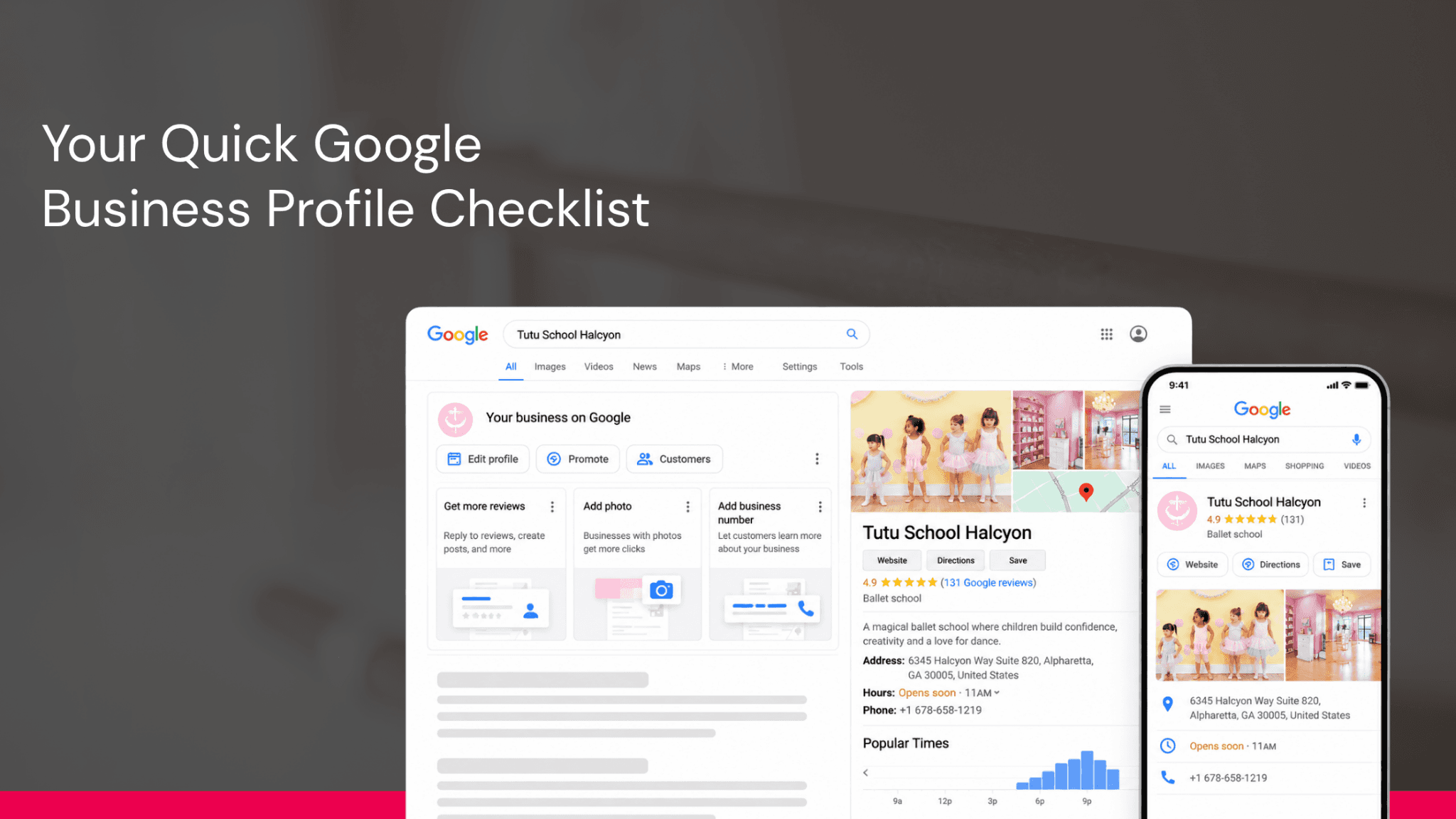
Here's the whole thing in one pass, worth revisiting every few months rather than only at setup.
Name, address, and phone number match exactly everywhere they appear online.
Every relevant category is claimed, not just the obvious one.
Hours are current, including anything different from your normal schedule.
Services or products are listed individually and specifically, not lumped into one vague line.
Business description is plain, accurate, and within the character limit.
Photos include your real space, team, and work, updated within the last few months.
Messaging is only turned on if someone's actually watching it.
Posts go up regularly enough that the profile looks active.
FAQs
Why isn't my Google Business Profile showing up in search results at all?
That's usually a verification or setup issue rather than a ranking one. Check that your profile is verified, isn't flagged as duplicate or suspended, and has at least one category selected. An incomplete new listing can also just take time to gain any visibility.
How often should I update my Google Business Profile?
Treat the full checklist as a quarterly check-in, and handle hours, posts, and Q&A responses as they come up in between. A profile that never changes reads as inactive even if the business behind it is busy.
Do photos actually affect how my profile performs?
Yes. Photos influence both how trustworthy a listing looks to a person and how much activity Google has to associate with the profile. A profile with recent, real photos consistently gets more engagement than one with none or with outdated stock images.
What happens if I don't fill out every section of my profile?
Nothing breaks, but each empty section is a small missed chance to match a real search or answer a real question. Incomplete profiles aren't penalized so much as they're simply less competitive against ones that did the work.
Can I complete this checklist myself, or do I need help?
Every item here is something you can do yourself directly in your Google Business Profile dashboard. The only thing that changes with a tool like Pie's Profile Manager is that it keeps the information accurate automatically instead of you having to remember to check it.
How long does it take to see a difference after completing my profile?
There's no fixed timeline, but many of the changes, especially photos and Q&A answers, are visible to customers immediately. The trust and ranking benefits build more gradually as Google reassesses the profile over time.
Conclusion
A Google Business Profile checklist isn't complicated, it's just easy to put off. Most local businesses have the basics covered and stop there, which means every category, photo, and answered question you add is one more thing separating you from a competitor who never came back to finish theirs.
Work through it once, then check back every few months. Or let Pie's Profile Manager keep it accurate automatically, so it's never something you have to remember on your own.
Ready to see your own profile score? Get started with Pie. Want to talk through your setup first? Book a quick call with our team. No pressure either way.
Resources
1. Google Business Profile Help: Guidelines for representing your business on Google
2. Google Business Profile Help: Manage your Business Profile photos & videos
3. Google Business Profile Help: Improve your local ranking on Google

Your business should show up first when people search for your service, not your competitor’s.
Pie makes sure they find you first.
First month free. No contract. Just more customers.


