
Why Am I Not Showing Up on Google Maps? A Guide to Getting Your Business Found on Google
If you've searched why am I not showing up on Google Maps into Google at some point, you're already doing the right thing by looking.

Published by
Pie
on
You search your own business on Google Maps, and it's not there, or it's buried two scrolls down while a competitor half a mile away sits right at the top.
If you've searched why am I not showing up on Google Maps into Google at some point, you're already doing the right thing by looking. Most owners don't check until a slow week makes them nervous.
Here's the part that trips people up. Google Maps ranking isn't one fixed number.
It changes depending on who's searching, where they're standing, and the exact words they used. A business can be the first result right outside its own front door and fall off the map entirely a mile away.
So the real question usually isn't “am I ranked,” it's “where, and for what.”
That distinction is exactly what most local SEO advice skips over, and it's why so many owners give up after one search that looked fine, or panic after one search that looked bad.
Here's what's actually happening, and what you can do about it.
Table of Contents
Why Am I Not Showing Up on Google Maps? It's Not Actually One Ranking
Google Maps Ranking Factors: What Google Actually Looks At
Why Am I Not Showing Up on Google Maps in Some Areas but Not Others?
How to Check Your Google Maps Ranking
How to Improve Your Google Maps Ranking
The Fastest Way to Show Up While the Rest Catches Up
Real Results
FAQs
Conclusion
Resources
Why Am I Not Showing Up on Google Maps? It's Not Actually One Ranking
Ask ten business owners where they rank on Google Maps and most will give you a single number, or tell you flatly they're not ranked at all. That's not really how it works.
Google builds local results fresh for every search, based on where that person is standing, what device they're on, and the exact words they typed.
Someone searching “auto repair near me” two blocks from your shop can see you first. The same person across town, or searching “brake shop” instead, can get a totally different list.
So when you search your own business from your own phone, you're not getting a real answer. You know your business exists.
Google knows you've looked it up before. You're standing right next to it. None of that is what an actual new customer sees.
Google Maps Ranking Factors: What Google Actually Looks At
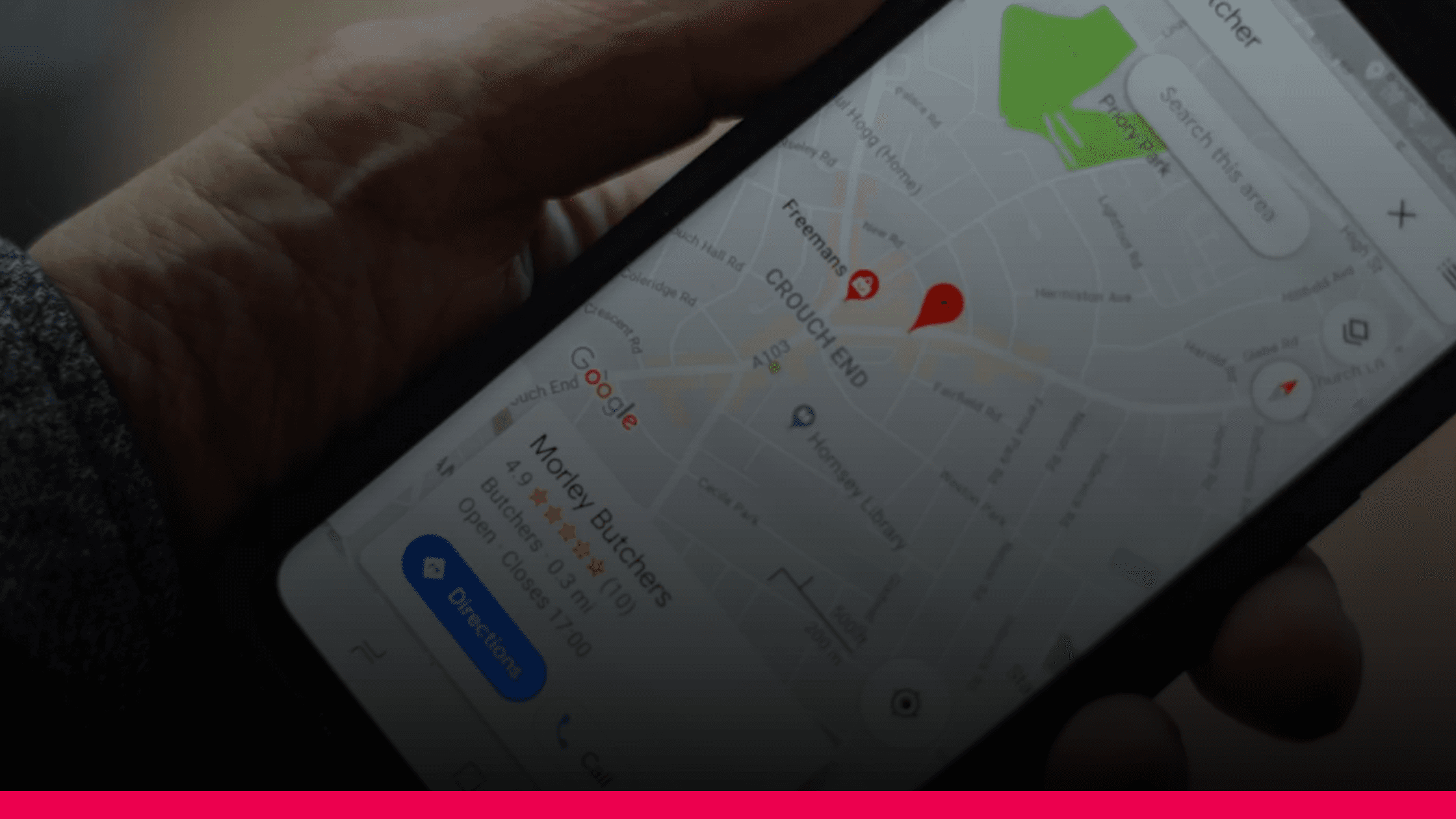
Google has been fairly open about what drives local ranking, and it comes down to three things: relevance, distance, and prominence.
None of them work alone, and none of them are things you can trick your way around, but understanding each one explains a lot about why your ranking looks the way it does.
Relevance
This is how well your Google Business Profile matches what someone searched for. A complete profile, with accurate categories, services, and a clear business description, gives Google more to match against. A thin or outdated profile gives it less to work with, even if you’re genuinely the best fit for the search.
Distance
This is exactly what it sounds like: how far the business is from the location used in the search. It’s a major factor, but it’s not the only one, which is why a business slightly farther away with a stronger profile and more reviews can still outrank one that’s closer.
Prominence
This covers how well-known and well-reviewed a business is, both on Google and across the web. Review count, review rating, and how often people search for or mention the business by name all factor in here. It’s the slowest factor to move, but also the one with the most room to grow.
Why Am I Not Showing Up on Google Maps in Some Areas but Not Others?
This is where distance and prominence collide, and it's what confuses most owners.
Because ranking is calculated fresh for every search location, a business can rank in the top three within a half-mile radius, slide to the middle of the pack a mile out, and disappear from the visible results entirely at two or three miles, depending on how much competition sits in that stretch.
For a business with a small service area, that might not matter much.
For anyone competing across a bigger radius, a home services business, a multi-location brand, or anyone in a genuinely competitive category, it matters a lot.
You could be crushing the blocks immediately around your business and still losing most of the customers just outside that radius to a competitor with a stronger overall profile, without ever knowing it, because a single search from your own location will never show you that.
How to Check Your Google Maps Ranking
The manual way to check is to search from different locations and different devices, using an incognito browser window so your own search history doesn’t skew the results, and repeating that for every keyword phrase a customer might actually use.
It works, technically, but it doesn’t scale past a handful of spot checks, and it tells you nothing about why a competitor is beating you in a given spot.
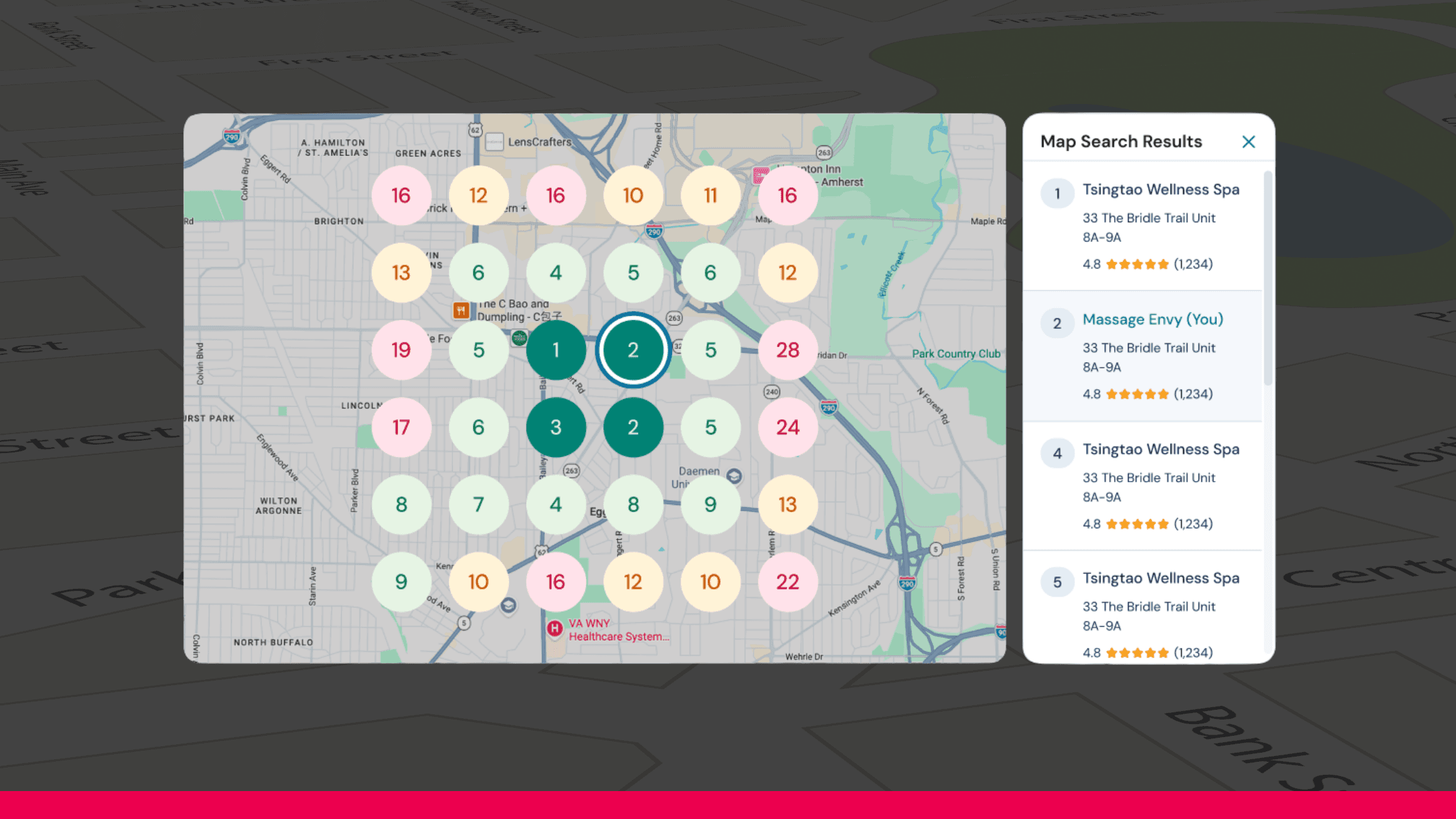
Pie Growth includes a simpler way to see the same picture. Local Map Search lets you set your own keywords and search radius, then shows a visual map of your ranking at every point across that area, not just from your own address.
You can see exactly where you’re already winning, where a competitor is outranking you and by how much, and how that shifts over time as your profile and reviews improve. It’s included free in the Pie dashboard, no separate tool or spreadsheet required.
For the ad side of local visibility, here’s why Google Maps ads matter for small businesses.
How to Improve Your Google Maps Ranking
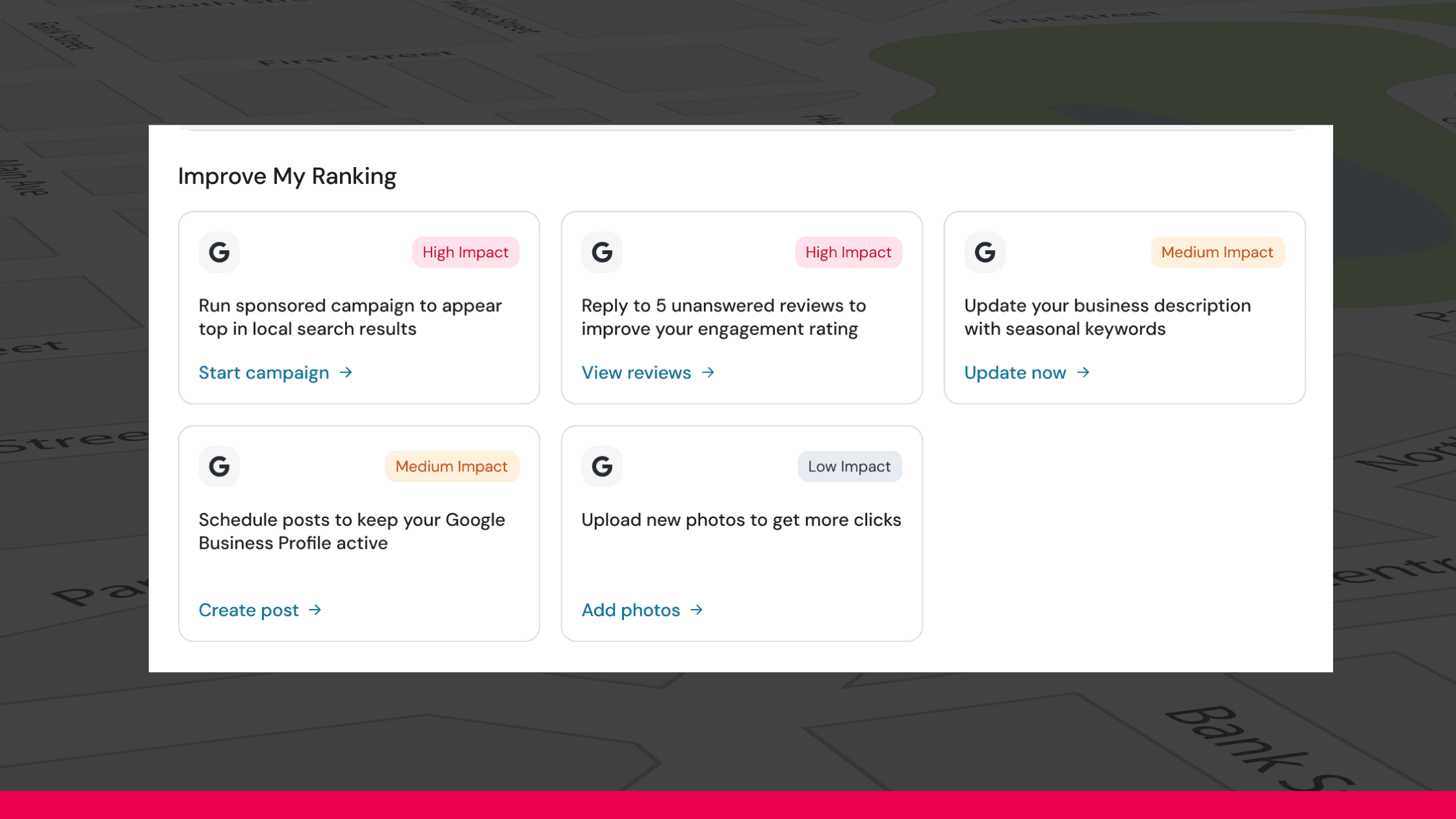
Once you know where you actually stand, the fixes come down to the same three factors: relevance, distance, and prominence. Distance isn’t something you can change, but the other two are, and they respond to fairly specific, unglamorous work.
Start with reviews. More of them, and more recent ones, are one of the clearest prominence signals Google has, and responding to them, especially the critical ones, matters just as much as collecting them in the first place.
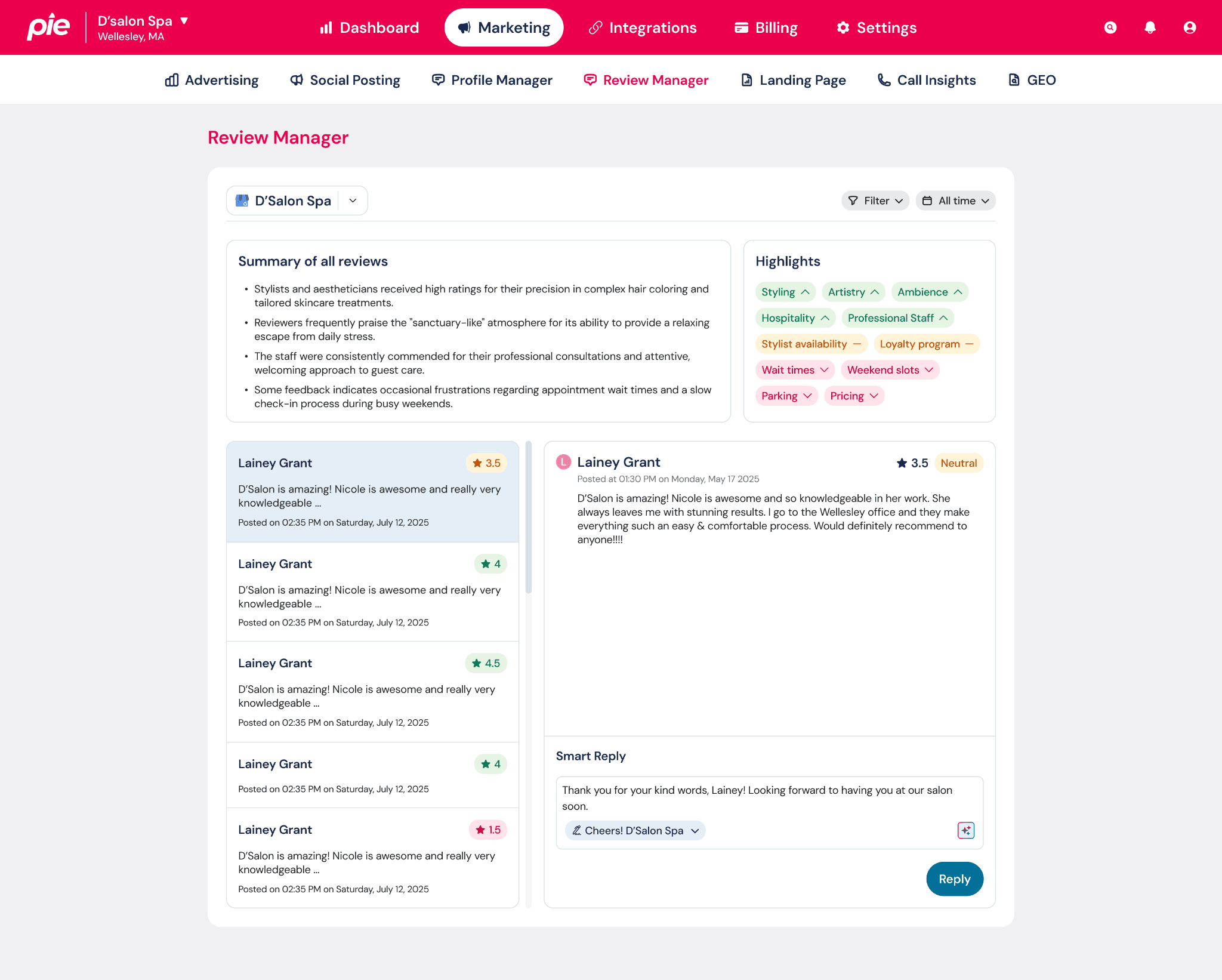
Pie’s Review Manager pulls every review into one place and helps you respond quickly instead of letting them sit unanswered for weeks.
Then there’s the Google Business Profile itself. A complete, accurate one, with the right categories, current hours, and filled-out services and descriptions, is the clearest relevance signal you control.
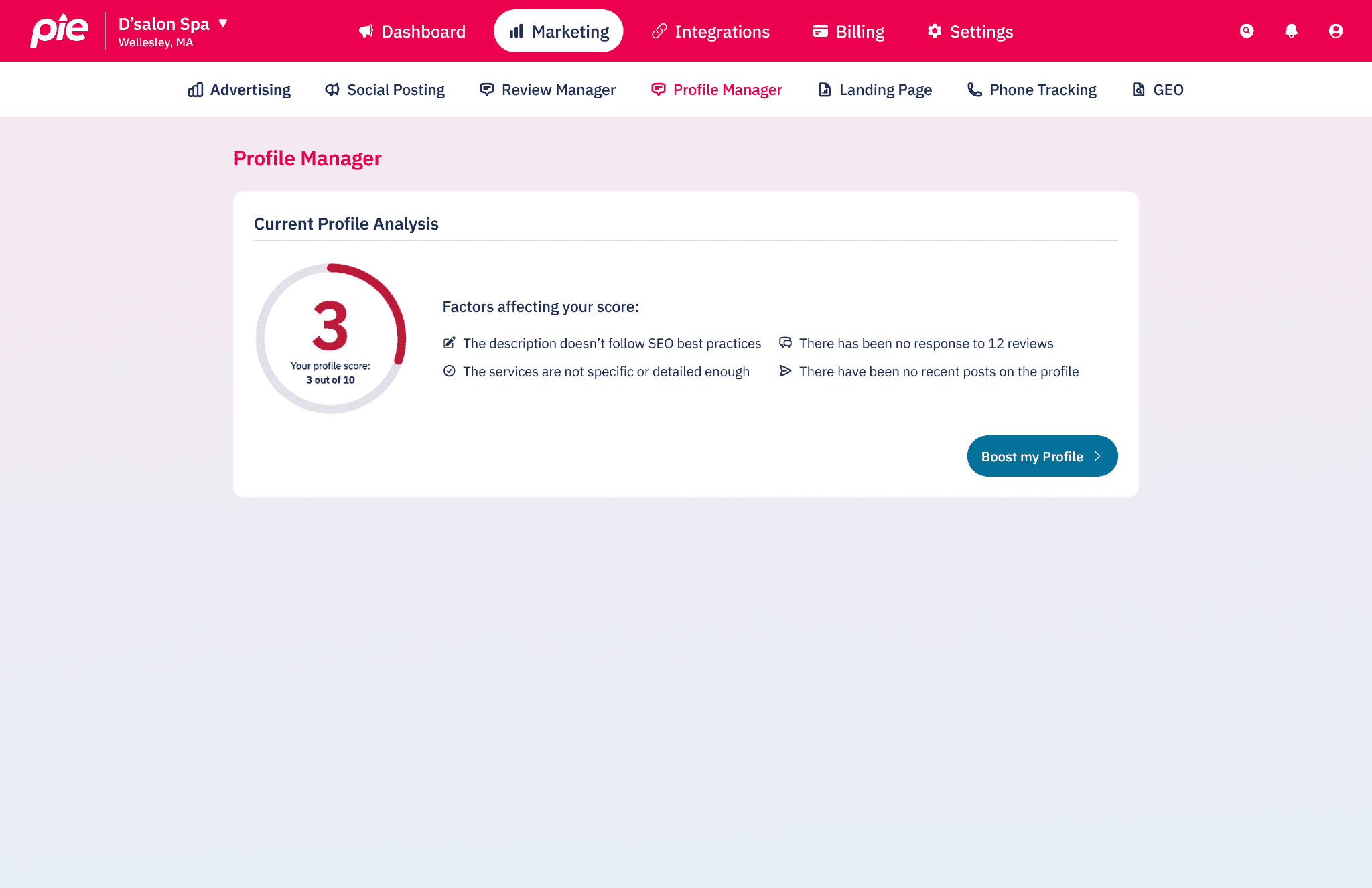
Pie’s Profile Boost keeps that information accurate automatically, so it doesn’t quietly go stale while you’re busy running the business it’s supposed to represent.
Posts help too. Regular posts about offers, updates, or new services give Google fresh activity to associate with your profile, and they show up directly in your listing for anyone browsing.
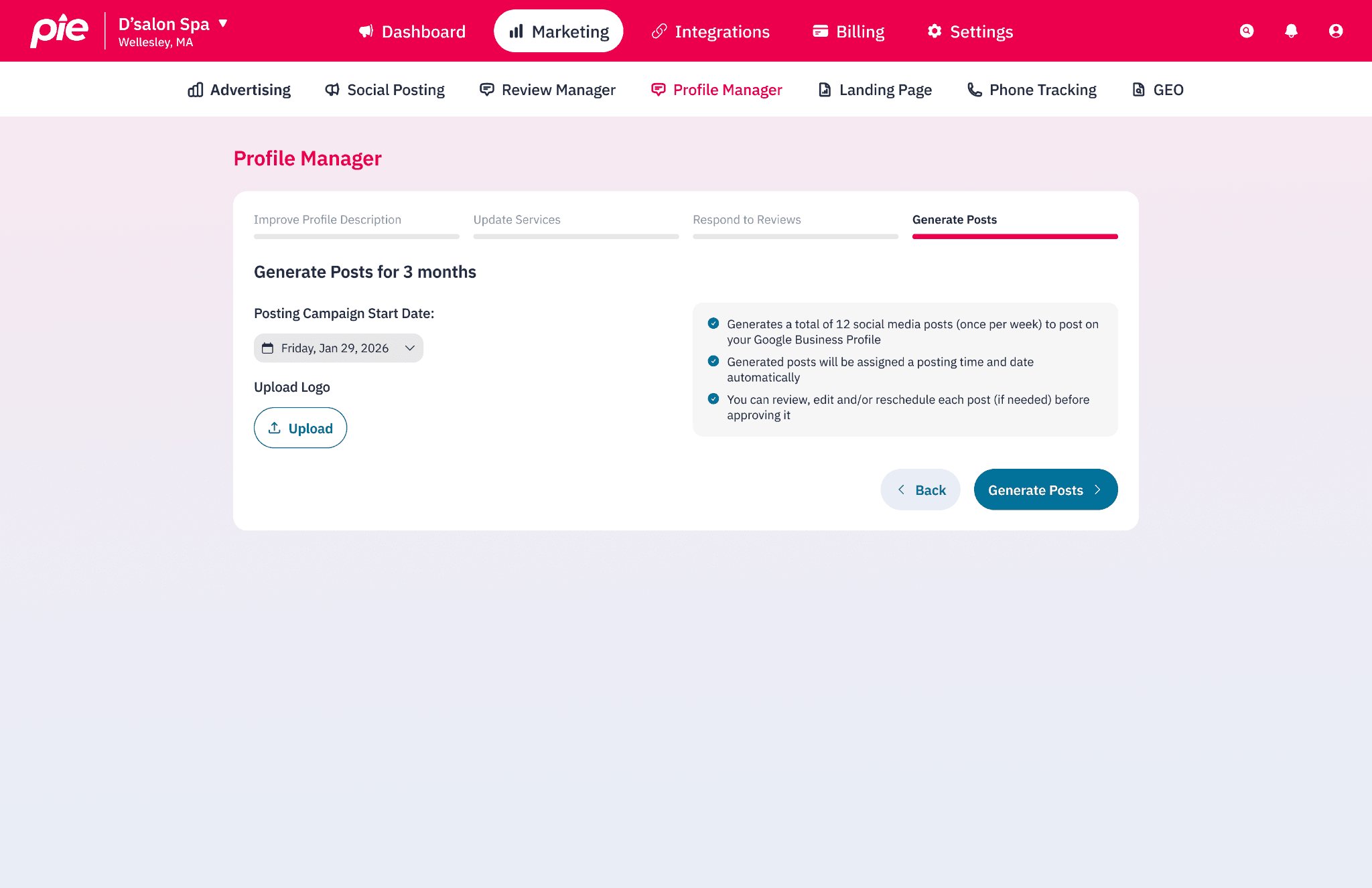
Pie can generate posts across Google, Facebook, and Instagram automatically, pulled from what’s actually trending in your industry, so it’s not something you have to sit down and write yourself.
None of this moves your ranking overnight. It compounds over weeks, not days, and that’s normal, not a sign something’s broken.
The Fastest Way to Show Up While the Rest Catches Up
Organic ranking takes time by design.
If you need to be seen now, not in six weeks, running ads is the more direct route.
A paid spot doesn’t depend on the same relevance, distance, and prominence calculation, so it can put your business in front of nearby searchers right away while your reviews, profile, and posts do their slower work in the background.
Pie Growth runs Google Maps and Search ads with a Maps-first budget split, since that's where local intent is highest, and keeps optimizing on its own instead of letting a campaign plateau after setup.
It's $59 a month, the first month free, and new customers get $360 in Google Ads credit. No contract, cancel anytime.
Curious why a live campaign might still be underperforming? We've written a full breakdown of why Google Ads aren't converting and what to check.
FAQs
Why is my Google Business Profile not showing up on Google Maps at all?
That’s usually a different problem than a ranking problem. Check first that your profile is verified, hasn’t been suspended, and has the right categories and address listed.
A brand-new profile with little activity yet can also be genuinely hard to find until it builds up some prominence, even before ranking becomes a factor.
How long does it take to improve Google Maps ranking?
There’s no fixed timeline. Profile changes can help within a few weeks, but prominence in particular builds gradually over months as reviews and activity accumulate, not overnight.
Does running Google Ads improve my organic Google Maps ranking?
No. Google keeps paid placement and organic map ranking separate. Running ads doesn’t change where you fall in the unpaid results, but it does put you in a visible, paid spot immediately, which is useful while the organic side improves in the background.
What's the difference between the local pack and the rest of Google Maps results?
The local pack is the small group of businesses, usually three, that shows up directly on a Google search results page for a local query. Google Maps itself shows a much longer list once you open the app or the full map view. A business can perform differently in each.
Can I see where my competitors rank on Google Maps?
Yes. Local Map Search shows a competitor comparison alongside your own ranking, so you can see who’s outranking you and in which parts of your service area, not just whether they beat you overall.
Is my Google Maps ranking the same everywhere in my service area?
Almost never. Ranking is calculated per search, based on location and keyword, which is why a business can look completely different depending on where you check from and what you type in.
Conclusion
If you've been asking yourself why am I not showing up on Google Maps, the honest answer is you're probably not invisible everywhere, just further down in more places than you'd like.
Ranking moves with what you offer, how close you are, and how well-known you've become, and it looks different for every searcher.
Get your profile complete, stay on top of reviews, keep posting, and check your actual ranking across your service area instead of guessing from your own front door.
Or let Pie Growth show you exactly where you stand and run the ads that get you seen while the rest catches up.
If you're ready to start today, sign up here. If you'd rather talk it through first, schedule a call with our team, no pressure.
Resources
1. Google Business Profile Help: Improve your local ranking on Google
2. Think with Google: How Mobile Search Connects Consumers to Stores
3. WordStream: Google Ads Benchmarks 2026

Your business should show up first when people search for your service, not your competitor’s.
Pie makes sure they find you first.
First month free. No contract. Just more customers.


